Home › Guides › Designing a good level
Designing a good level
Published 21 October 2026
The Rythmo Bille editor lets you build anything, from a calm piano level to a Demon course. This guide gathers what makes a level enjoyable to play, and the editor tools that help you check it. To get started, first read the editor overview.
Start from the music
A good level is played by ear as much as by eye. The easiest way is to start from music: import an audio file and let the AI place the notes, or import a MIDI or MusicXML score to get the exact notes. Then you only need to touch it up. You can also copy a song from the game (“Copy” in Levels › The game) to see how it's built.
Set the grid before placing
When you create a level, the “New level” window asks for the tempo, the grid and the difficulty. The grid aligns elements to the beats (quarter notes, eighths, sixteenths…). “Grid: Free” removes all snapping: time is set to the hundredth of a second and height to the pixel. Keep a grid while placing the melody, and switch to Free only for fine adjustments.
Pace the jumps
- Height follows pitch: a higher note sits higher. The “Heights from the notes” button puts everything back in place if you moved too much.
- Leave room: with less than half a beat between two platforms, a level becomes hard to read. Very close notes often feel better as bonus notes (diamonds).
- Keep big leaps for big moments: an octave leap needs a held press; chained non-stop, they get tiring.
- Vary the moves: alternating small jumps, held jumps and bounces makes a level feel alive.
Choose the difficulty
With an adapted difficulty, you draw one version and the game builds Easy, Normal, Hard, Extreme and Demon by itself. With a custom difficulty, your level is played exactly as you made it: you can then place spikes and every Demon element (blocks, pads, rings, portals, saws) and choose “A single life”. The game then computes your level's real difficulty itself, so it's listed in the right place.
Check before publishing
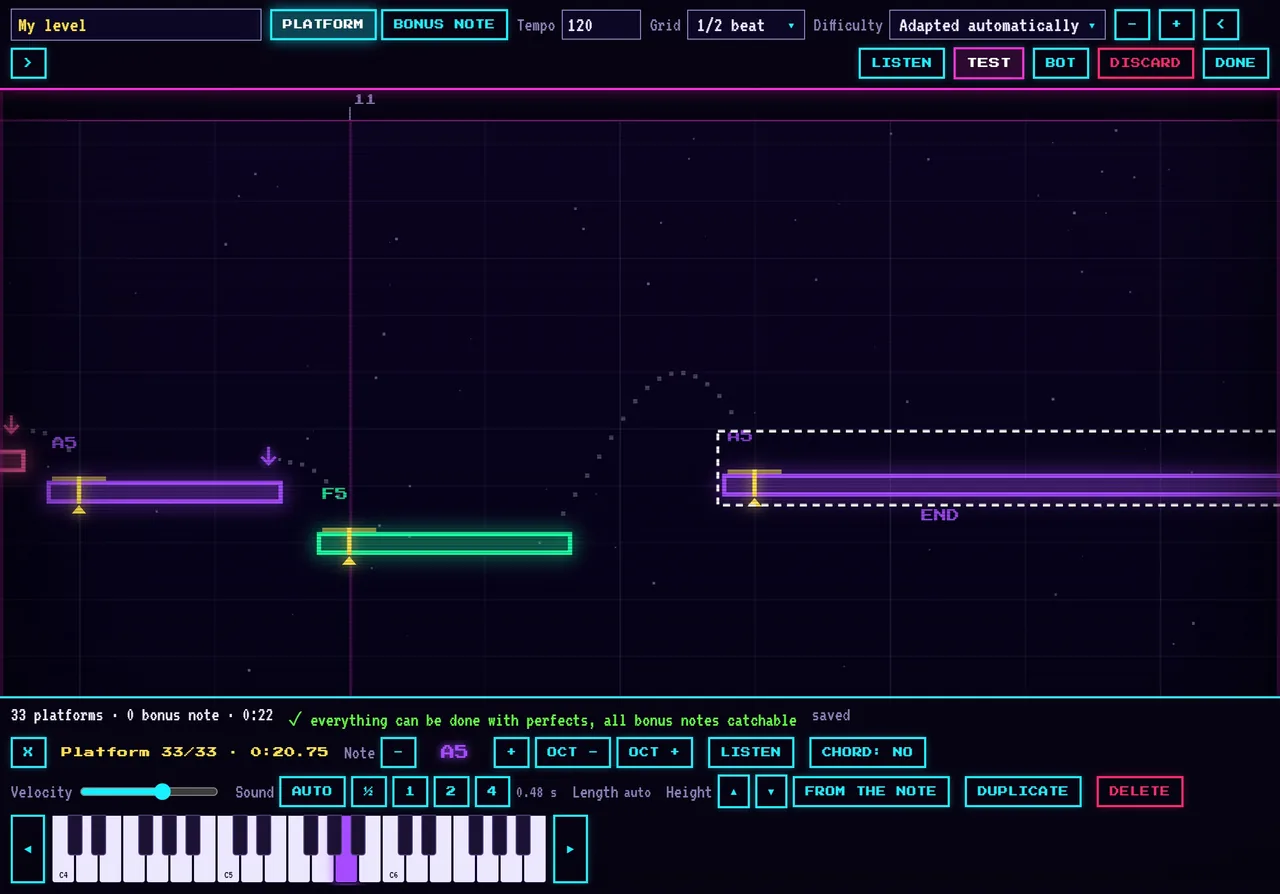
The editor has a bot play after every change. A line at the bottom of the screen says whether everything can be played with PERFECTs and whether every bonus note can be collected.
- Impossible note: the bot draws its best try in red, with a cross where the ball is lost, and the note's card explains why (for example: the ball passes beside a portal).
- Untouched elements: a pill counts the pads, rings and portals the bot doesn't use. A click lists them; “Show” jumps from one to the next. An element nobody takes is often a misplaced one.
- Path of a pad or ring: select it to see where it sends the ball. “Snap the next note” puts the next note exactly where the ball arrives.
- Test (T): play it yourself from the cursor. Nothing replaces this test, especially on a phone.
Polish the details
- Every element can be rotated to any angle (R key): a tilted platform becomes a slope.
- The “Perfect” card sets where the PERFECT sits on a platform or note block, and which face (top or bottom): a face pointing down is played with a head bump.
- Give a clear title without your full name or contact details: titles are filtered, and every level can be reported.
Publish and share
Once published, your level appears in Community with its own leaderboard. If the level comes from one of your songs, you can also share its instrumental and vocals, if you have the right to (rules). Levels under four minutes can be drawn at random in online matches.
Publishing requires a game account. After an edit, the Update button sends the new version: its leaderboard is kept, unless you choose to reset it, which is useful when the level has changed a lot.